Build your own website.
Join my free beginner friendly WordPress course that shows you step by step how to create a simple website without coding or tech stress.
[ Join. It’s free ]
This is a 3 day beginner course (6.5 hours total) designed to give you a clear overview of how a WordPress website is built.
The goal is not to make you an expert, but to help you understand the process, remove confusion, and give you the confidence to build a simple website.
If you want to go deeper or prefer professional help, you can always reach out after the course.
*You do not need any prior web design experience.
At the end of the course you will:
Understand how design, technology & SEO work together and how to build websites that work and impress.
This course is for you if you:
- Are a small business owner/artist/NGO or freelancer etc
- Need a website but feel stuck or confused by WordPress
- Want something practical, simple, and clear
- Want to understand how websites actually work
[ COURSE Overview ]
STEP ONE
Setup & Basics
You will set up WordPress & DIVI Pro, learn the technical foundation and build the basis for your website secure, stable and compliant
STEP TWO
Site Editing
Next step, you will develop your own design system with colors, typography and global styles, and create your first professional page layout.
STEP THREE
SEO & Launch
Then you will finalize your project, save it, learn how to go live. This completes our course. If you need further support I can help you privately.
[ COURSE DETAIL ]
DAY ONE: Intro and Setup
Welcome and intro & Set Up
- What WordPress is and what it is used for
- Local WordPress set-up (LocalWP, DIVI Theme)
- How the Divi theme and Divi Builder fit into WordPress
- What you will build in this course: a simple 3 page website
Introduction to WordPress
- What WordPress is and what it is used for
- How the Divi theme and Divi Builder fit into WordPress
- What you will build in this course: a simple 3 page website
Domain and Hosting
Domains and Hosting Essentials
- What a domain name is and how it becomes your website address
- What hosting is and why WordPress needs it
- What to look for when choosing a domain and hosting provider
WordPress Dashboard
Getting Familiar with the WordPress Dashboard
- Where to manage pages, menus, and media (Images, logo etc)
- Overview of the WordPress admin area
- Where to install themes and plugins
- Where to find Divi settings and key tools
DAY TWO: Site Editing
Set Up Site Structure
- Create the first page: Home
- Set homepage
- Plan a simple layout so building becomes easier
Create Global Header
- Create a menu and link it to your pages
- Build a header with the Divi Builder or Divi Theme Builder
- Make sure visitors can navigate your site easily
Create Global Footer
- Create a footer and add essential information
- Set basic fonts, colors, and spacing for consistency
- Reuse elements so pages stay uniform
Building Page (Home etc)
- Build page sections using Divi rows and modules
- Add text, images, buttons, and spacing for clean layout
- Create the Contact page with a form and contact details
DAY THREE: SEO Tips & Lauch
Mobile Responsive
- Check your page on tablet and mobile views
- Adjust spacing, text sizes, and alignment for smaller screens
- Make quick improvements for better user experience
Essential Settings
- Review important WordPress settings for your site
- Learn simple media rules to keep pages fast
SEO and Getting Help
- Basic SEO steps to help your site show up in search
- How to use headings correctly for accessibility and SEO
Q&A course end
- Open question and answer session covering all three days
- Review of what was built during the course
- Clarifying open topics and common challenges
- Best practices for continuing after the course
- Next steps for improving and maintaining your website
[ COURSE INFO ]
Course Instructor
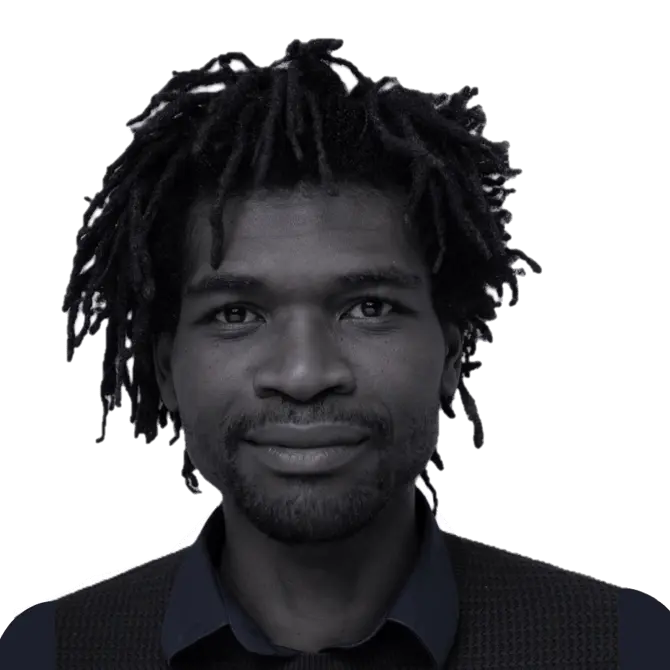
Course Instructor
Julius Timgum
Web Designer / Developer
7 Years Experience
Tools you will need
COMPUTER
Google Meet
WordPress (Local Installation)
DIVI THEME (Pro version Will be provided)
Schedule
DAY 1: Feb 6 – 2026
Time : 6PM (2.5 hours)
DAY 2: Feb 7 – 2026
Time : 6PM (2 hours)
DAY 3: Feb 8 – 2026
Time : 6PM (2 hours)
[ FAQ ]
Do I need any WordPress experience?
No.
This course is designed for complete beginners. Everything is explained step by step. I will walk you through and feel free to ask any questions during the course.
How do I register?
Simply fill in the registration form on this page. You will receive all details by email afterwards with directions and setting up the environment. (I will be there to support if you need assistance)
What platform will the course use?
We will use Google Meet for communication, links, and live interaction.
You only need a Google account.
Do I need a domain name or hosting?
No.
We will build the website locally on your computer using LocalWP. I will walk you through the process of setting up a local hosting. You can move your website online later if you want.
How long are the sessions?
Each session lasts about 2 hours, including time for questions. So please, save those 3 days and time.
Who is this course best for?
-
Small business owners
-
Freelancers
-
Creatives
-
Coaches and service providers
-
Anyone starting from zero
Or you just like to learn
Will I try to sell you something?
-
Not at all.
At the end of the course, I will explain how I help people who want support, but there is no obligation.
Is the course really free?
Yes.
The entire 3 day course is free. There are no hidden costs. 2 Hours for each session.
Will I learn how to put my website online?
Yes.
I will explain the steps to move your website online after the course.
What software do I need to install?
We will use:
-
LocalWP (free)
-
WordPress (free)
-
A web browser (Chrome, Firefox, Edge, or Safari)
We will install everything together during the course.
What operating system do I need?
You can join the course if you are using:
-
Windows
-
mac OS
-
Linux
All Operating Systems
Can I follow the course on my phone or tablet?
Yes and No
You can follow the course on your tablet or mobile. Yet it is important that you also practice step by step what I will be showing. You need a laptop or desktop computer to follow along properly.
Will I have a working website at the end?
Yes.
You will have a fully working WordPress website running on your computer. Note: This is just a crash course and just to get you familiar with how to use WordPress to build your website.
[ Book a space ]
Please fill out the form and I will get back to you with an email with course instructions and resources. Feel free to ask any questions through any of my communication channels below.
Betreiber der Webseite
Julius Timgum
Telefon
E Mail
Webseite
Anschrift
Hackengasse 22
1150 Wien
Österreich
Gewerbeinformationen
Mitgliedschaft
WKO-Mitglied, freies Gewerbe
Gründungsdatum
Seit 21.01.2021
GISA Zahl
33381121
Bankverbindung (Raiffeisen)
IBAN: AT07 3600 0000 0354 3543
BIC: RZTIAT22