Learn how to build a Custom Two-Column Blog Post Design in DIVI.
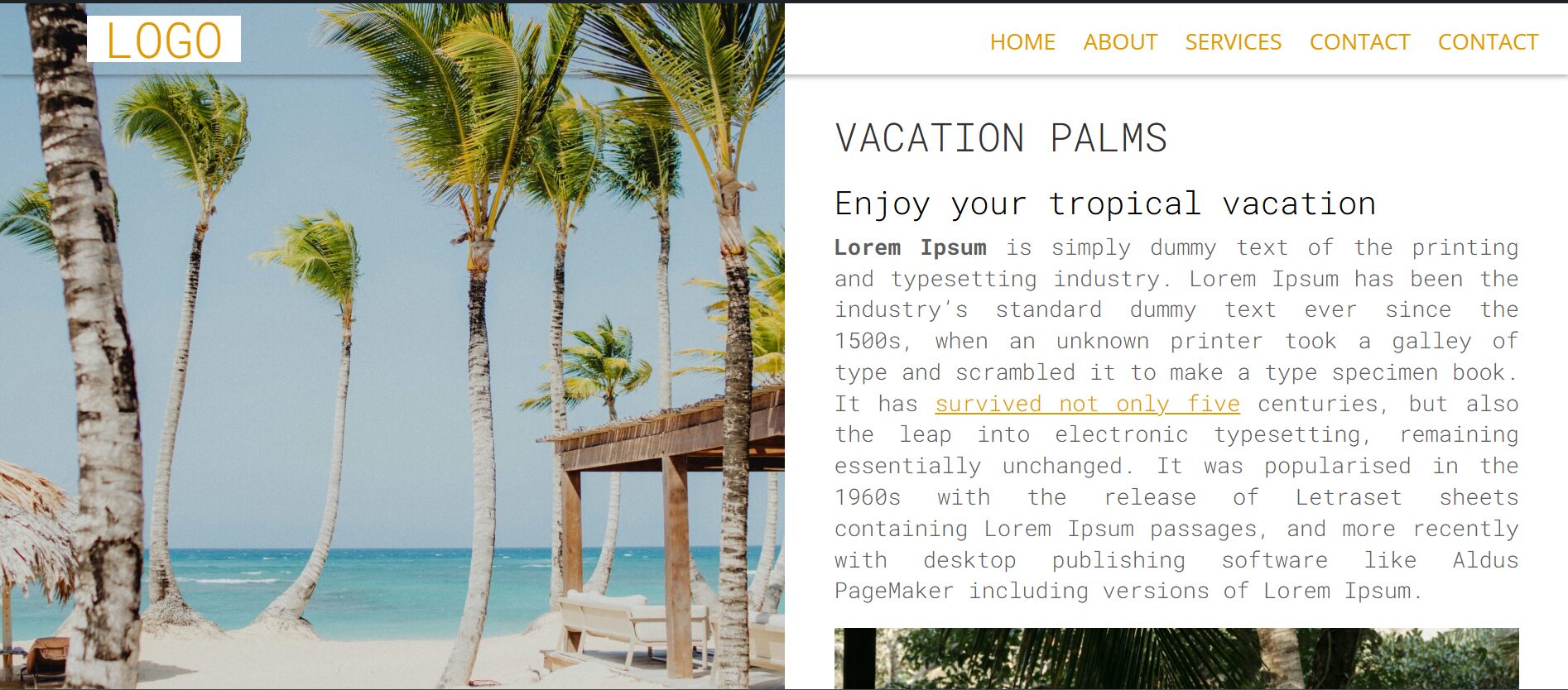
The design features a fixed full-width photo in the left column, serving as a captivating backdrop that sets the tone for the post, while the right column contains scrollable, highly readable text with clean typography, creating a harmonious blend of visuals and narrative.
CSS SNIPPETS
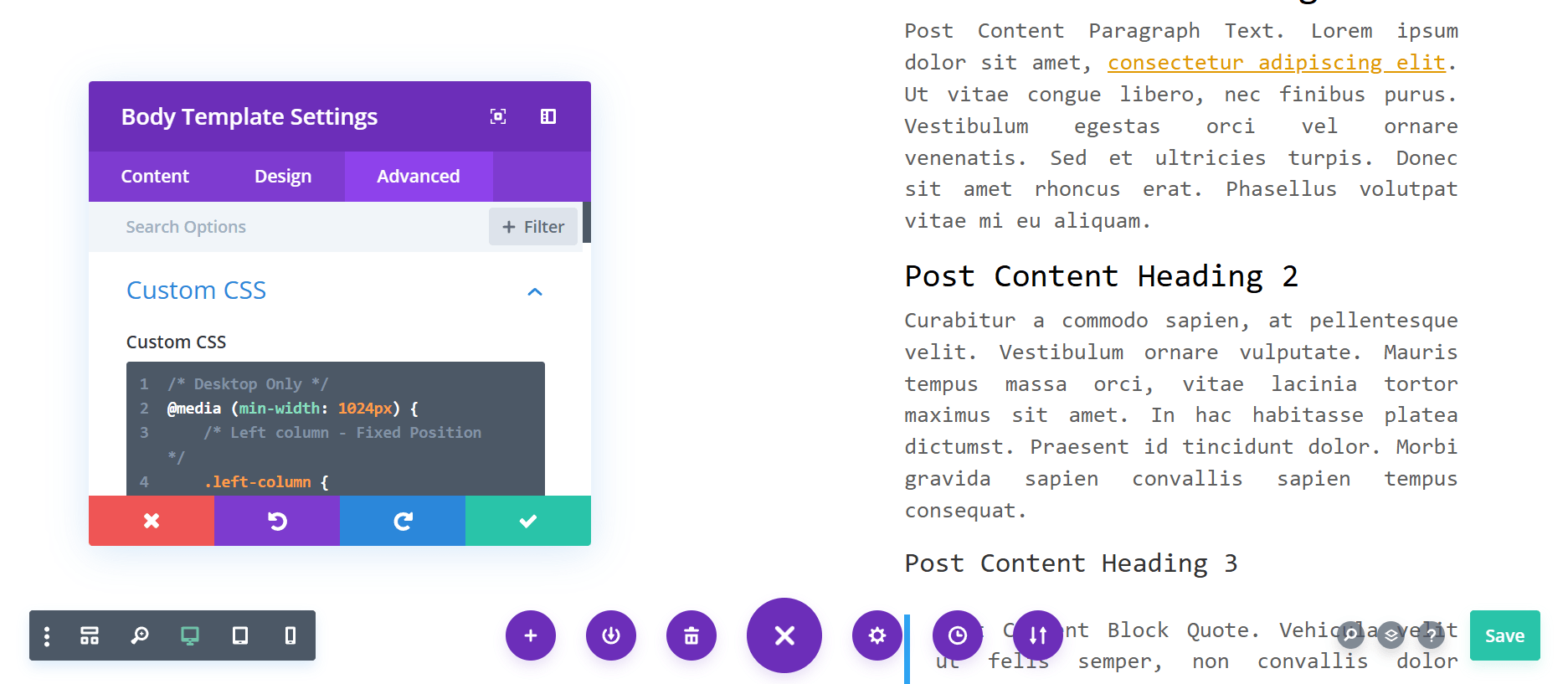
Paste this one your DIVI theme builder blog post page custom CSS.
With this css classes for the left and right column respectively:
left-column right-column
COPY TO CLIPBOARD CSS SNIPPETS
/* Desktop Only */
@media (min-width: 1024px) {
/* Left column - Fixed Position */
.left-column {
position: fixed;
left: 0;
top: 0;
height: calc(100vh - var(--header-height) - var(--footer-height)); /* Subtract header and footer height */
width: 50%; /* Adjust width as needed */
overflow: hidden;
z-index: 1; /* Ensure it sits appropriately in the stacking order */
}
/* Right column - Scrollable Content */
.right-column {
position: relative;
margin-left: 50%; /* Positions it to the right of the fixed left column */
width: 50%; /* Adjust width to match the fixed left column */
padding: 20px; /* Optional padding for readability */
overflow-y: auto; /* Allows vertical scrolling */
margin-top: var(--header-height); /* Push content down to accommodate the header */
}
}
/* Mobile and Tablet */
@media (max-width: 1023px) {
.left-column,
.right-column {
position: static; /* Default positioning for natural flow */
width: 100%; /* Full width for both columns */
height: auto; /* Content dictates height */
margin-left: 0; /* Reset margin */
margin-top: 0; /* Reset margin for smaller screens */
overflow: visible; /* Allow natural scrolling */
}
}
TRY IT YOURSELF
Looking to enhance your blog’s user experience? This two-column layout combines creativity and functionality, offering an engaging design that blends visuals and text seamlessly. Stay tuned for more updates as I refine and experiment with unique layouts to keep the blog fresh and captivating!
The Divi author box shortcode is an easy way to display your editor’s photo and name on blog posts. In my YouTube tutorial, I explain how to set it up using simple PHP and CSS. You don’t need any extra plugins to make it work. With the Divi author box shortcode, you...
DOWNLOAD JSON ZIPPED Theme header DOWNLOAD HERE Hamburger menu desktop mobile is the goal of this guide. You want one menu. It should look slick on desktop. It should feel smooth on mobile. This tutorial shows how to do that in Divi with a shortcode, Bootstrap 5, and...
How to Create a Transparent Text Effect with a Background Image in Divi https://www.youtube.com/watch?v=Uifaz7ywov0 Achieve a stunning effect where a background image appears only inside transparent text by following these steps: Add a Section and...
How to create an eye catching marquee with divi theme The text marquee design effect is one of the easiest ways to make your website feel dynamic and engaging. In this tutorial, I’ll show you how to create a smooth, continuous scrolling text banner using simple HTML...
This website uses cookies to improve your experience. We'll assume you're ok with this, but you can opt-out if you wish. Cookie settingsACCEPT
Privacy & Cookies Policy
Privacy Overview
This website uses cookies to improve your experience while you navigate through the website. Out of these cookies, the cookies that are categorized as necessary are stored on your browser as they are as essential for the working of basic functionalities of the website. We also use third-party cookies that help us analyze and understand how you use this website. These cookies will be stored in your browser only with your consent. You also have the option to opt-out of these cookies. But opting out of some of these cookies may have an effect on your browsing experience.
Necessary cookies are absolutely essential for the website to function properly. This category only includes cookies that ensures basic functionalities and security features of the website. These cookies do not store any personal information.
Any cookies that may not be particularly necessary for the website to function and is used specifically to collect user personal data via analytics, ads, other embedded contents are termed as non-necessary cookies. It is mandatory to procure user consent prior to running these cookies on your website.